
Latest Phishing Attempt
WHAT'S HAPPENING?
There are emails that are being circulated, an example of which is below, that include a suspicious link. These are not legitimate emails.
WHAT DO YOU NEED TO DO?
If you receive an email like this, do not click on the link. If a phishing or spam email makes its way into your inbox, please forward it according to the directions at
http://support.cc.gatech.edu/support-tools/faq/what-should-i-do-when-i-receive-spam-or-phishing-email to improve the accuracy of GT's filters.
Latest Phishing Attempt
WHAT'S HAPPENING?
There are emails that are being circulated, an example of which is below, that include a suspicious link. These are not legitimate emails.
WHAT DO YOU NEED TO DO?
If you receive an email like this, do not click on the link. If a phishing or spam email makes its way into your inbox, please forward it according to the directions at
http://support.cc.gatech.edu/support-tools/faq/what-should-i-do-when-i-receive-spam-or-phishing-email to improve the accuracy of GT's filters.
Latest Phishing Attempt
WHAT'S HAPPENING?
There are emails that are being circulated, an example of which is below, that include suspicious attachments. These are not legitimate emails.
WHAT DO YOU NEED TO DO?
If you receive an email like this, do not download the attachment. If a phishing or spam email makes its way into your inbox, please forward it according to the directions at
http://support.cc.gatech.edu/support-tools/faq/what-should-i-do-when-i-receive-spam-or-phishing-email to improve the accuracy of GT's filters.
Latest Phishing Attempt
WHAT'S HAPPENING?
There are emails that are being circulated, an example of which is below, that include a suspicious link. These are not legitimate emails.
WHAT DO YOU NEED TO DO?
If you receive an email like this, do not click on the link. If a phishing or spam email makes its way into your inbox, please forward it according to the directions at
http://support.cc.gatech.edu/support-tools/faq/what-should-i-do-when-i-receive-spam-or-phishing-email to improve the accuracy of GT's filters.
Generate a Duo Emergency Rescue Code for Another User
Occasionally, a coworker may be unable to access their Duo enabled device. In such a case, a Duo Emergency Rescue Code can be generated by any other Duo-enabled user.
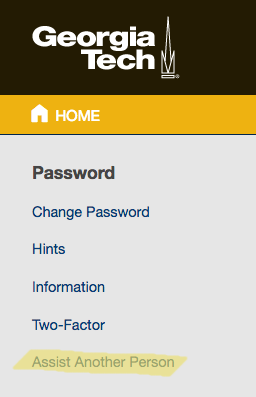
To start the process, log into Passport (https://passport.gatech.edu) and select Assist Another Person.
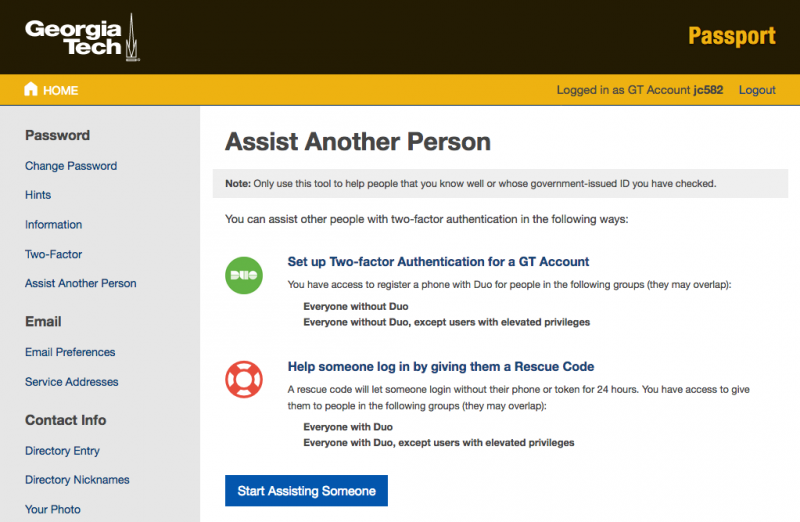
At the Assist Another Person screen, select Start Assisting Someone.
Enroll Another User in Duo Two-Factor Authentication
In order to help one of your co-workers by enrolling them in Duo, you first need to log into Passport (https://passport.gatech.edu) and select Assist Another Person.
You should then see the following screen. Select Start Assisting Someone to begin the process.
Latest Phishing Attempt
WHAT'S HAPPENING?
There are emails that are being circulated, an example of which is below, that include suspicious attachments. These are not legitimate emails.
WHAT DO YOU NEED TO DO?
If you receive an email like this, do not download the attachment. If a phishing or spam email makes its way into your inbox, please forward it according to the directions at
http://support.cc.gatech.edu/support-tools/faq/what-should-i-do-when-i-receive-spam-or-phishing-email to improve the accuracy of GT's filters.